How to Set Up Free AI Translation with SiliconFlow + Immersive Translate
Learn how to build a free AI translation system using SiliconFlow's free translation API and the Immersive Translate browser extension. Zero cost, full features.
You can get decent AI translation without paying anything. Here’s how to set it up in about five minutes.
What You Need
Two things:
- SiliconFlow account — Chinese AI platform with free translation models
- Immersive Translate — Browser extension for webpage translation
Register at SiliconFlow: #AFF https://cloud.siliconflow.cn/i/votJKqZO
Download Immersive Translate: https://immersivetranslate.com
Step 1: Install the Extension
Install Immersive Translate from their website. It works on Chrome, Edge, and Firefox.
Click the extension icon in your browser toolbar to open settings.
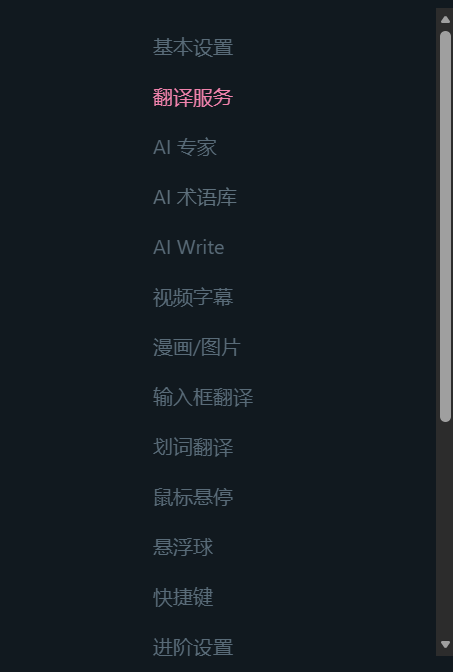
Click “Translation Service” in the left sidebar.
Step 2: Get a SiliconFlow API Key
Register at SiliconFlow. New accounts get free credits. Some models are marked “free” — no credits needed.

Tencent’s Hunyuan-MT-7B is a good choice for translation. It’s optimized for this task and free to use.
Go to the console, find “API Keys,” and create one.
Copy the key immediately. It only shows once.
Step 3: Connect Everything
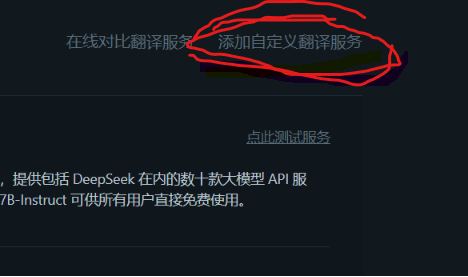
In Immersive Translate’s “Translation Service” page, click “Add Custom Translation Service.”
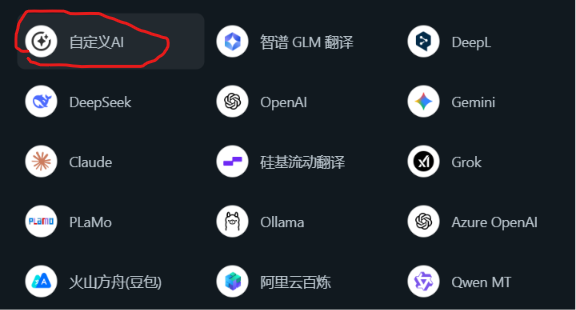
Select “Custom AI.”
Name it whatever you want. For the model, check “Enter custom model name” and type tencent/Hunyuan-MT-7B.

Paste your API key. Set the endpoint to:
https://api.siliconflow.cn/v1/chat/completions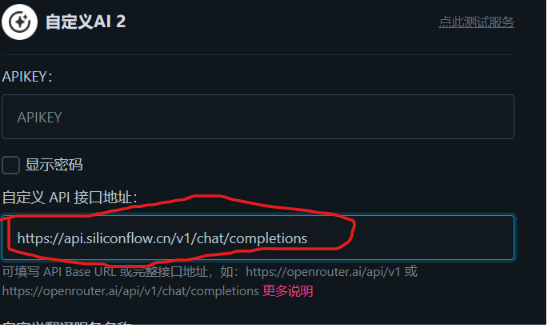
The URL must include /v1/chat/completions at the end.
Step 4: Test It
Back in the service list, click “Test Service.”
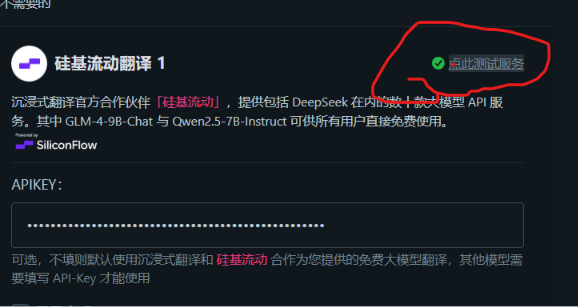
If it works, you’re done.
Using It
Press Alt+A on any webpage to translate. Immersive Translate supports bilingual display (showing both languages) and can translate PDFs.
Have questions? Leave a comment below.
Comments
Join the conversation
A quiet margin for reflections after reading.
No comments yet. Be the first to leave a thought.